Add a contact form
Add a contact form to any page in two minutes. Submissions go to your dashboard and your inbox.
What you'll get
- A form on whichever page you choose, with the fields you want.
- Every submission saved to your dashboard and emailed to you.
- A basic spam guard (a hidden honeypot field) included on every plan. Paid plans add stronger filtering on top.
Add the form
In Claude, ask for the form. Be specific about which page, which fields, and what the submit button should say:
- "Add a contact form to my home page with name, email, and message fields."
- "Put a booking enquiry form on the services page. Ask for name, email, phone, and what they're interested in."
- "Add a short newsletter signup at the bottom of every page. Just an email field, button says Sign up."
Claude builds the form. Refresh the page. The form is there.
If you want changes — different fields, different placement, different look — just ask. Same as anything else on your site.
See what people send you
Every submission shows up in your dashboard at app.lanlan.site/forms. You can read messages there, mark spam, and export the list.
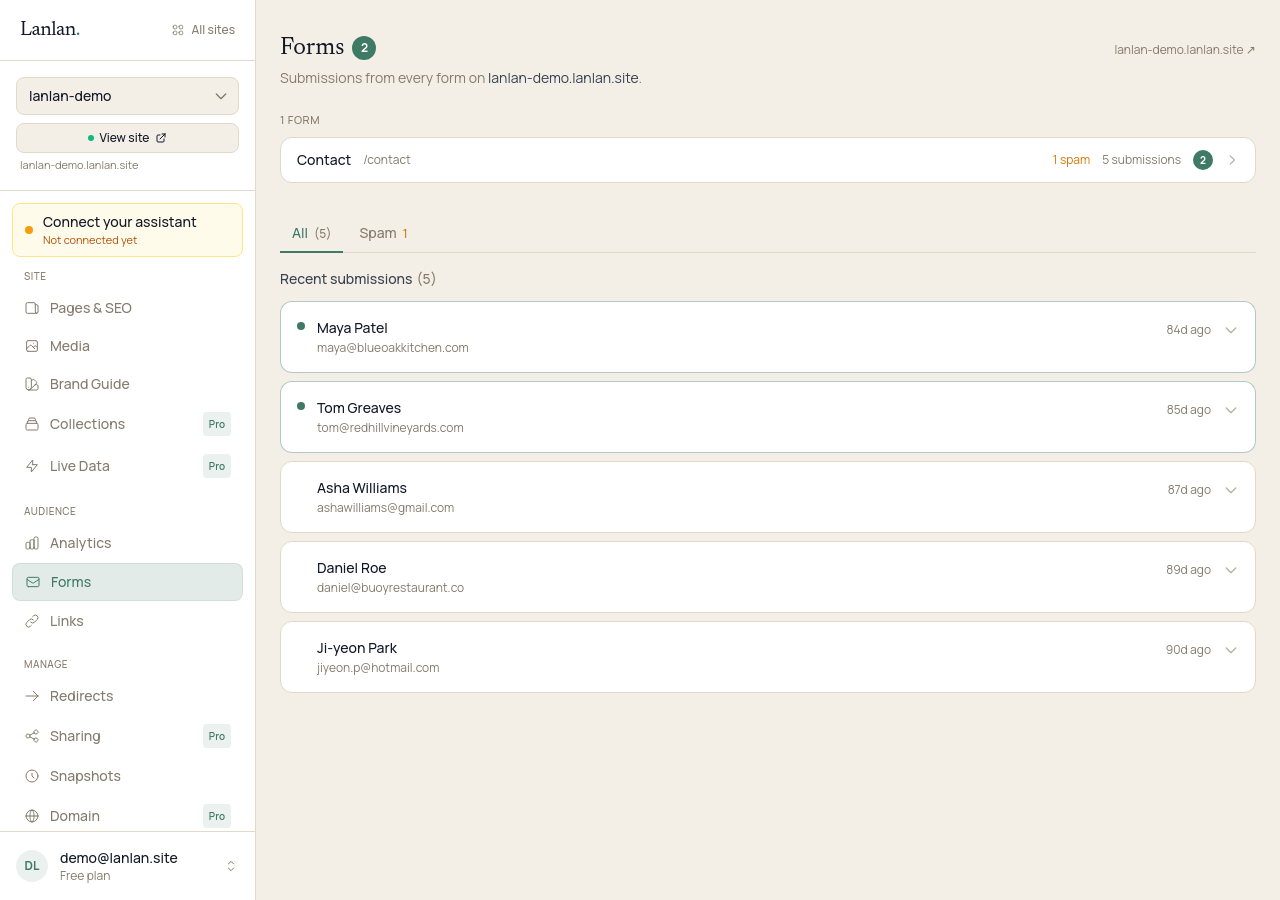
Notifications go to the email you signed up with by default, plus anyone you've added as a collaborator on the site (in the team page of your dashboard). You can change the notification address any time — just ask Claude:
- "Send my contact form submissions to bookings@my-business.com instead."
If something doesn't work
- "I'm not getting the emails." Check your spam folder. The sender is
noreply@lanlan.site— add that to your contacts so future emails come through clean. - "The form looks weird on phones." Ask Claude "Make the contact form fit better on phones." It's a one-line fix.
- "The form posted but I never got the email." Open your dashboard — the submission is there. Use the dashboard as your source of truth; the email is a convenience on top.
- "I'm getting too much spam." The honeypot catches the dumbest bots. Stronger filtering (heuristics + an LLM classifier on borderline cases) is included on paid plans — see pricing.
What to try next
- Forms beyond contact — 3-min read
- Connect a custom domain — 5 min + DNS
- See who's visiting — 1 min
If you get stuck
Ask Claude. "I can't figure out how to…" almost always gets you unstuck. For anything Claude can't help with, email support.