Connect a custom domain
Point your own domain — like your-business.com — at your Lanlan site. Two ways: buy one through Lanlan, or bring a domain you already own.
Connecting a custom domain — either way — needs the Make-it-mine plan or higher ($15/month). See plans.
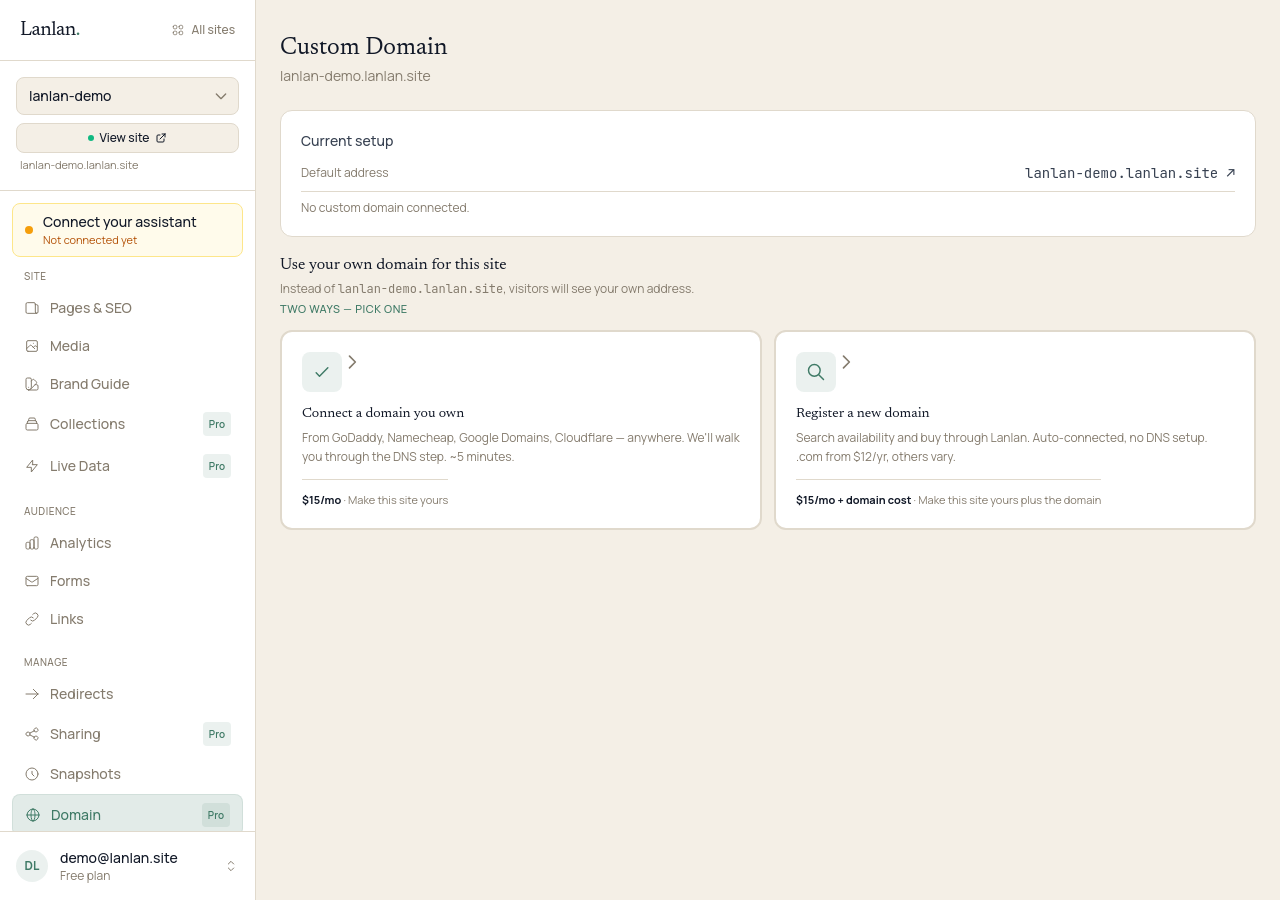
Two ways to do this
- Buy through Lanlan. About $15/year for a typical domain (some can be more). We handle the DNS for you — no records to add anywhere. Recommended if you don't already own a domain.
- Bring a domain you already own. Free if you already paid for it. You add a couple of records at your existing registrar (GoDaddy, Namecheap, Cloudflare, and so on).
Path A: Buy through Lanlan
In Claude, ask whether the domain you want is available:
- "Check if
roses-flowers.comis available."
Claude shows you whether it's free, the yearly price, and what it'll renew at. Most common endings (.com, .org, .net) are around $10–15 per year. Some short or very desirable names are premium domains — those can cost much more, and Claude shows the full price before you commit.
If you like it, ask Claude to buy it:
- "Register
roses-flowers.com."
Lanlan walks you through checkout. Once it's paid for, the domain is connected to your site automatically — no DNS records to add, nothing else to do.
From your dashboard's domain page, you can later add or edit DNS records (for things like email or other services), or transfer the domain to another registrar if you ever want to.
Path B: Bring a domain you already own
Tell Claude the domain you want to use:
- "Connect my domain
roses-flowers.comto this site."
Claude gives you the DNS records to add at your registrar. DNS is the address book of the internet — you're telling your registrar to point your domain at our servers.
Log in to your registrar (the place you bought the domain), find the DNS or advanced settings, and add the records Claude gave you. You can't break anything important — these records only affect this one domain.
DNS usually updates within 5–30 minutes, occasionally up to a couple of hours.
To check if it worked, visit your domain. If you see your site, you're done. Or in Claude: "Did the domain connect?" You can also see your connected domains and their status on your dashboard's domain page.
If your registrar's DNS settings are confusing, you can also buy a fresh domain through Lanlan instead — we set it all up for you.
What about www?
Most setups handle www automatically. If yours doesn't, just ask Claude to add it.
If something doesn't work
- "I waited an hour and nothing." DNS can take up to a few hours on some registrars. If it's been over four hours and the site still isn't showing, email support — we'll look at your records together.
- "It says 'not secure' or there's no padlock." The SSL certificate provisions automatically once DNS resolves correctly — usually within a few minutes after the domain points at us.
- "I can't find DNS settings at my registrar." Email support and tell us which registrar you're using; we'll walk you through it.
What to try next
- See who's visiting — 1 min
- Add a contact form — 2 min
- What is Lanlan? — 2-min read
If you get stuck
Ask Claude. "I can't figure out how to…" almost always gets you unstuck. For anything Claude can't help with, email support.